
WIX SEO
Where is my Wix robots.txt, and should I change it?
Wix writes a robots.txt file for every site, and most stores never need to change it. Read yours by adding /robots.txt to your address, and edit it under SEO & GEO in your dashboard. To keep a page out of Google, use the page’s index switch instead.
In this guide
1. What robots.txt does, and what it doesn’t
robots.txt is a small text file at the top of your site. It tells crawlers, the robots that search engines send to read pages, which addresses they may visit. Google says it is used mainly to stop crawlers overloading a site with requests.
It is not a way to keep a page out of Google. Google says a page blocked in robots.txt can still be indexed if other sites link to it. Its address can still show up in search results, just without a description. Wix’s help on the robots meta tag says the same.
Wix adds the file for you. Its help calls editing it an advanced feature, warns that changes can cause issues with your site appearing in search results, and says Wix Customer Care can’t help with changes you make. Google’s own page says that on a site builder such as Wix you might not need to edit the file at all.
So start by reading your file, not by changing it.
Sources: Google: Introduction to robots.txtWix: Editing your site’s robots.txt fileWix: Using the robots meta tag
2. Find your file
Add /robots.txt to the end of your address: yourstore.com/robots.txt. The file is public, so you can read any site’s this way.
Google says a robots.txt file only counts for the exact address it sits on. So www.yourstore.com and yourstore.com each have their own. Wix says each language subdomain gets its own file too.
On a free Wix address, look at yourname.wixsite.com/robots.txt, before the site’s name. That is where we found it on two free sites. Wix’s help doesn’t cover free sites.
Sources: Wix: Editing your site’s robots.txt fileGoogle: How Google interprets the robots.txt specificationWix Multilingual: about multilingual subdomains
3. Read Wix’s default lines
| Line in the file | What it does |
|---|---|
| User-agent: * | The lines under it are for every crawler. |
| Allow: / | Crawlers may visit every address. |
| Disallow: *?lightbox= | Asks them to skip addresses with ?lightbox= in them. Lightbox is Wix’s older name for a pop-up. |
| User-agent: AdsBot-Google | The next two lines are only for Google’s ads crawlers. |
| Disallow: /_partials* and /pro-gallery-webapp/… | Keeps those crawlers off two sets of addresses Wix uses behind the scenes. |
| User-agent: PetalBot, Disallow: / | Blocks one crawler, PetalBot, from the whole site. |
| Crawl-delay: 10 | Asks two other crawlers, dotbot and AhrefsBot, to slow down. Google doesn’t support this line. |
| Sitemap: …/sitemap.xml | Tells crawlers where your sitemap is. Wix adds it for you. |
Wix says its default file lets search engine bots reach all of your pages. It also includes the address of your sitemap, the list of your pages that Wix keeps for search engines.
Wix’s help shows the default only as a picture. So we opened the file on five live Wix sites on November 9, 2026. All five matched, apart from the sitemap line. The whole file is at the end of this guide. Yours may differ if someone has edited it, or if Wix has changed its default since.
Lines that start with # are notes for people. Google says crawlers ignore them. The last line of Wix’s file is one: it says the file was made automatically.
Sources: Wix: Editing your site’s robots.txt fileGoogle: How to write and submit a robots.txt fileGoogle: How Google interprets the robots.txt specificationWix Editor: adding and setting up a lightbox
4. Edit the file in Wix
- Go to SEO & GEO in your site’s dashboard.
- Scroll down to Tools and settings, and click Robots.txt Editor.
- Click View File.
- Add or change lines in the box under “This is your current file.”
- Click Save Changes, then Save.
- Open your /robots.txt address in a new tab, and check it shows your change.
Those are the steps in Wix’s help. It doesn’t say which plan or role you need. Wix moves its menus from time to time: the file’s own last line still calls the place SEO Tools.
Before you save, be sure which crawler or which addresses you want to stop. One wrong line can hide a whole site. Under User-agent: *, the line Disallow: / asks crawlers to skip every page.
To undo everything, open the same editor and click View File. Then click Reset to Default, and Reset.
Search engines don’t see a change at once. Wix says they update their copy the next time they crawl your site. Google says it generally keeps its copy for up to 24 hours. Section 6 shows how to ask Google to fetch the file sooner.
Sources: Wix: Editing your site’s robots.txt fileGoogle: How to write and submit a robots.txt fileGoogle: How Google interprets the robots.txt specification
5. To hide a page, use the index switch instead
To keep a page out of Google, don’t block it in robots.txt. Use noindex, the tag that asks search engines to leave a page out of their results. On Wix it is a switch called Let search engines index this page.
The two don’t mix. Google says noindex only works if the page is not blocked by robots.txt, because its crawler has to read the page to see the tag. Block the page, and Google may never learn you wanted it out. Google also says a noindex line inside robots.txt is not supported.
Wix says the same about its own Site Inspection report. For a blocked page you don’t want indexed, it says it’s better to add noindex to the page’s robots meta tag.
So keep the two jobs apart. Use robots.txt for a crawler or a whole area you want left alone. Use the switch for a page you want out of search.
Wix keeps that switch in three places. See the Wix switches to check, in order.
Sources: Google: Block Search indexing with noindexGoogle: Introduction to robots.txtWix: stop search engines indexing a page, in each editorWix: Understanding your Site Inspection report
6. “Blocked by robots.txt” in Search Console
Search Console has two labels for this. Blocked by robots.txt means the file stopped Google reading the page. Indexed, though blocked by robots.txt means Google listed the page anyway, without reading it.
Never edited the file? Wix says you don’t need to edit it now. Check the page instead. Is its index switch off? Is it behind a password, or for members only? Those are the causes Wix names. Addresses you never meant people to find can stay blocked, such as the ones with ?lightbox= in them.
Did edit the file? Look for a Disallow line that matches the start of the page’s address. Remove it, or use Reset to Default.
Then check your work. Paste the address into URL Inspection, the Search Console tool for one page, and run the live test.
Search Console also has a robots.txt report, under Settings. It shows the files Google found, when it last fetched each one, and any warnings or errors. Google says it only appears for properties at the domain level. To hurry Google along, click the more settings icon next to the file and choose Request a recrawl. Google says you generally don’t need to, because it fetches the file often.
Google’s advice for each case is short. For a page you want out of Google, remove the block and use noindex. For a page you want in, change the file so it is no longer blocked.
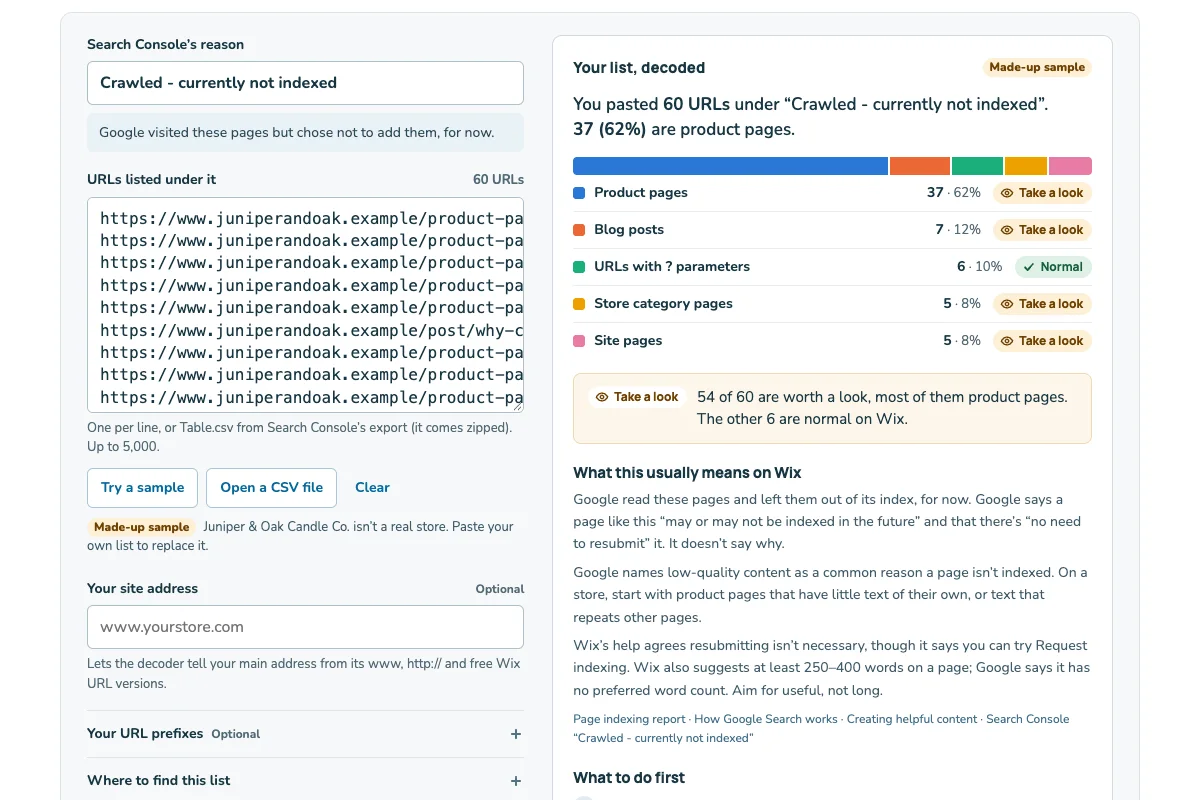
A whole row of blocked addresses? Paste them into the Wix indexing decoder. It sorts them by Wix page type and says which ones are normal.
Sources: Google: Page indexing reportWix: Editing your site’s robots.txt fileSearch Console Help: robots.txt reportSearch Console Help: Reports at a glanceWix: Understanding your Site Inspection report
7. The rules Google reads
| Rule | What it asks a crawler to do |
|---|---|
| Disallow: /thank-you | Skip every address that starts with /thank-you. |
| Disallow: /members/ | Skip everything in the /members/ folder. |
| Disallow: /*.pdf$ | Skip addresses that end in .pdf. |
| Disallow: / | Skip the whole site. |
| Allow: / | Visit everything. |
Google supports four kinds of line: user-agent, allow, disallow and sitemap. It says other lines, such as crawl-delay, aren’t supported.
A group starts with a User-agent line, which names a crawler. An asterisk there means every crawler. Under it, Disallow lines name the addresses to skip, and Allow lines name the exceptions.
A crawler follows one group only: the most specific one that names it. So a crawler with its own group ignores the lines under User-agent: *. Google’s ads crawlers skip that group as well: they follow only rules that name them, and Wix’s default has a group for them.
In an address, * stands for any run of characters, and $ marks the end of the address. Google says the path starts with / and is case-sensitive, so /Sale and /sale are different.
When two rules match the same address, Google uses the more specific one, the one with the longer path. If they still conflict, it uses the least restrictive.
Don’t block files your pages need. Google says that if a missing image, script or style file makes a page harder for its crawler to understand, you shouldn’t block it. Keep the file small too: Google reads only the first 500 kibibytes.
Thinking of blocking AI crawlers? Read what a Wix store should do about AI search first. Their names differ by job.
Sources: Google: How Google interprets the robots.txt specificationGoogle: How to write and submit a robots.txt fileGoogle: Introduction to robots.txtWix: Blocking AI crawlers from your site
8. Example: one store’s blocked products
Northfield Tea Supply is a made-up Wix store. Its Search Console shows 14 product pages as Blocked by robots.txt.
Months ago the owner pasted a rule from a forum to hide a test page: Disallow: /product. A rule matches every address that starts the same way. So it also matched /product-page/, where the store’s products live.
Northfield opens the Robots.txt Editor and resets the file to the default. For the test page, it turns off Let search engines index this page instead.
Then it checks. The file at its own /robots.txt address shows the default again. One product passes the live test in URL Inspection. In the robots.txt report, it asks Google to recrawl the file.
A week later it looks at the row again. Google decides when to come back, so some pages may take longer.
Sources: Wix: Editing your site’s robots.txt fileGoogle: How Google interprets the robots.txt specificationSearch Console Help: robots.txt report
Rules you can copy
Two rules to paste into the Robots.txt Editor, and Wix’s default file to compare with yours. Change the address or the name before you save.
Keep crawlers out of one folder
Where it goes: as one more line under the User-agent: * lines your file already has.
What it does: asks every crawler to skip any address that starts with /members/. It doesn’t take a page out of Google. For that, use the index switch in section 5.
Disallow: /members/Change /members/ to your own address. The rule matches every address that starts the same way.
Block one crawler from the whole site
Where it goes: at the end of the file, as a block of its own.
What it does: asks the crawler called GPTBot to stay off every page. Other crawlers aren’t affected. Wix’s help warns that some crawlers ignore these lines, so it’s not an airtight fix.
User-agent: GPTBot
Disallow: /
Swap GPTBot for the crawler you mean, spelled the way its owner spells it.
Wix’s default file, to compare with yours
This is the file five live Wix sites served on November 9, 2026, with example.com in place of the site’s address.
Don’t paste it over your own file. To get the default back, use Reset to Default in the editor.
User-agent: *
Allow: /
Disallow: *?lightbox=

# Optimization for Google Ads Bot
User-agent: AdsBot-Google-Mobile
User-agent: AdsBot-Google
Disallow: /_partials*
Disallow: /pro-gallery-webapp/v1/galleries/*

# Block PetalBot
User-agent: PetalBot
Disallow: /

# Crawl delay for overly enthusiastic bots
User-agent: dotbot
Crawl-delay: 10
User-agent: AhrefsBot
Crawl-delay: 10

Sitemap: https://www.example.com/sitemap.xml

# Auto generated, go to SEO Tools > Robots.txt Editor to change this
Read from live sites. Wix’s help shows its default only as a picture, and Wix may change it.