
WIX SEO
Add return and shipping markup to your Wix store
Wix’s product markup leaves out your return and shipping policies. Add both in one store-wide block on your home page, under Structured Data Markup, then test it.
In this guide
1. What Wix adds to a product page, and what’s missing
| Detail Google reads | In Wix’s markup? |
|---|---|
| Name and description | Yes |
| Images | Yes |
| Price and currency | Yes |
| Stock status | In stock or out of stock |
| SKU | Only if you added one |
| Return policy | No |
| Shipping details | No |
Markup, also called structured data, is code that describes a page to Google in a fixed format. Wix adds it to every product page for you. The table above shows what Wix’s own list covers.
Your return policy and shipping details are not on that list. Wix’s markup variables, the fill-in fields that copy product details into markup, have nothing for them either. And stock status can only say in stock or out of stock.
Google suggests one store-wide policy instead of one per product. So the fix is one extra block that describes your whole store.
To see what one of your product pages carries, paste its source into the Wix page checker. It shows what Google can read on the page, plus the apps installed on your site and its Custom Code.
Sources: Wix: Your site’s default SEO settingsGoogle: Merchant listing structured data
2. Why return and shipping details matter
Google says it can show your return and shipping policies with your products in search results. It can also show them in a knowledge panel: the box of facts about a business that can appear in results.
Merchant listings are Google’s name for product results from stores where people can buy. Google’s guide for them lists a return policy and shipping details as recommended, not required.
Google added store-wide return policy markup to its guides on June 11, 2024. Store-wide shipping markup followed on November 12, 2025. On Wix, one store-wide block is the simple route. You write it once, not once for each product.
Sources: Google: Return policy structured dataGoogle: Shipping policy structured dataGoogle: Merchant listing structured dataGoogle: Search documentation updates
3. Three ways to tell Google, and which one wins
Google takes these policies from three places. Merchant Center is where stores send Google their product data. Wix connects your store to it from the Google & YouTube section of your dashboard. Search Console, Google’s free reports for site owners, has settings for these policies too. The third place is markup on your site.
If they disagree, settings in Merchant Center or Search Console win over markup. Markup on a product page wins over your store-wide block.
So choose one set of facts and use it everywhere. If you entered policies in Merchant Center or Search Console, make your block say the same thing. If an app adds product markup with return or shipping details, check those too. Google’s guides don’t say how it treats two product blocks on one page, so don’t add a second one yourself.
Sources: Google: Return policy structured dataGoogle: Shipping policy structured dataWix: Adding and setting up Google Shopping
4. What goes in the block
| Field | What it says | Google says |
|---|---|---|
| applicableCountry | Countries it covers | Required |
| returnPolicyCountry | Where items are sent back | Recommended |
| returnPolicyCategory | Kind of return window | Required |
| merchantReturnDays | Days to send items back | Required for set windows |
| returnMethod | How items come back | Recommended |
| returnFees | Who pays for returns | Recommended |
| shippingConditions | Your shipping rules | Required |
| shippingDestination | Where you ship | Recommended |
| shippingRate | What shipping costs | Recommended |
Each row in the table is a field: a name in quotes in your code, followed by its value. Your block is one OnlineStore, a kind of Organization that Google suggests for online shops. Google’s Organization guide says to put it on your home page or one page about your business. Its return and shipping guides suggest the one page that describes those policies. Use one page. You don’t need it on every page.
Inside the block, hasMerchantReturnPolicy holds your returns and hasShippingService holds your shipping. In place of a country and a window type, Google also accepts merchantReturnLink, a link to your returns page.
Some fields take only set values, such as https://schema.org/FreeReturn for free returns. Copy those exactly. Google lists more optional fields, such as refund type and time in transit. Add one only if your pages say the same thing. The example block at the end of this guide shows these fields together.
Start from the policy your store already shows. This guide explains markup only. It is not legal advice about what your policy should say.
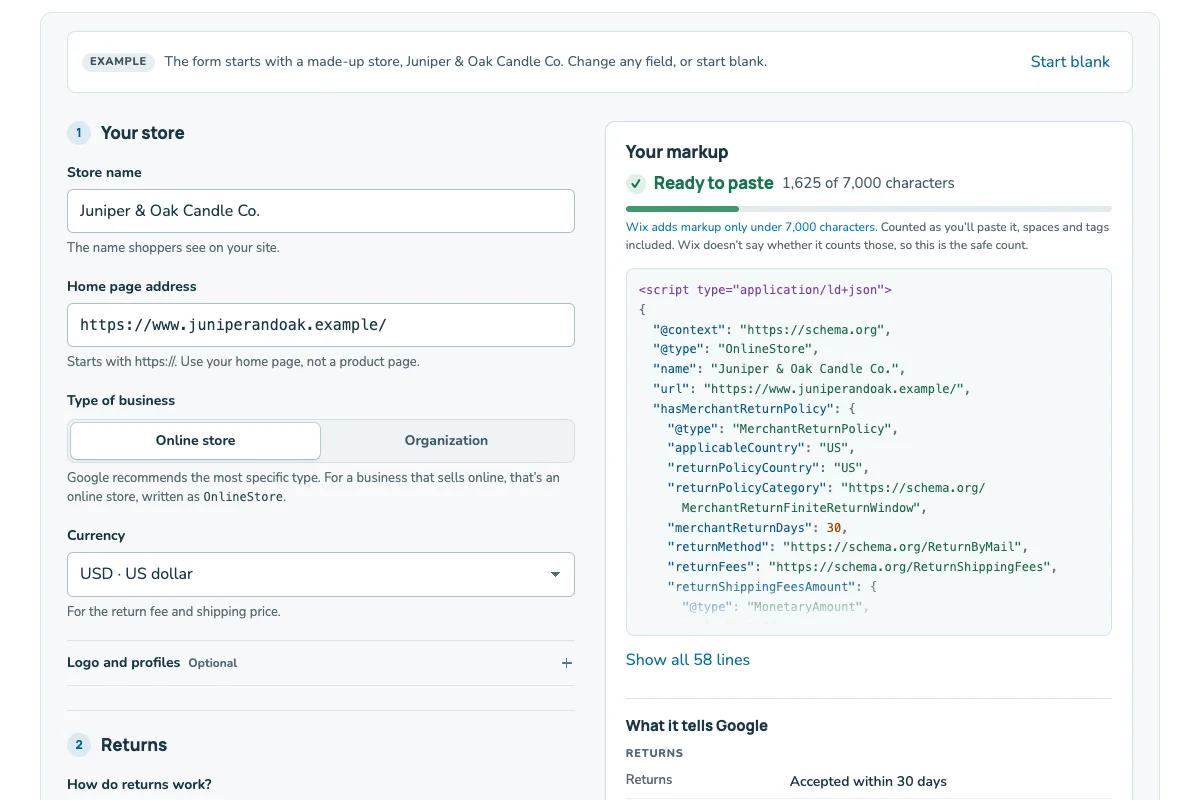
Or try the policy markup builder. It writes return and shipping policy markup for Google and says where to paste it in Wix.
Sources: Google: Organization structured dataGoogle: Return policy structured dataGoogle: Shipping policy structured data
5. Paste it into your home page in Wix
- Open your site in the Wix Editor and click Pages & Menu.
- Click the More Actions icon next to your home page, then SEO basics.
- Open the Advanced SEO tab and click Structured Data Markup.
- Click + Add New Markup and name it, for example Store policies.
- Paste your block into the box that says Write your markup in JSON-LD format, with <script type="application/ld+json"> above it and </script> below it. Click Apply. If Wix shows an error, check commas and quotes, then try without the tags.
- Publish your site.
In the Studio Editor, click Pages instead, then SEO Basics. You can also start in the dashboard: SEO & GEO → Tools and settings → SEO Settings → Main Pages under Edit by page type. Open the Edit by Page tab, pick your home page and open the Advanced tab. Wix says sites built in Wix Harmony, its newest editor, manage markup in the dashboard’s SEO Settings. These labels match Wix’s help pages in October 2026, and Wix may move these screens.
Wix accepts markup only as JSON-LD, the code format in this guide. Each markup must be under 7,000 characters. A page can hold up to five markups and 8,000 characters in total. Wix doesn’t say whether spaces or its own blocks count, so keep your block short. The example in this guide is far under these limits.
Wix’s pages disagree on one detail. Its troubleshooting page says to start with <script type="application/ld+json"> and end with </script>. Its main markup page doesn’t mention these tags. So step 5 includes them, and tells you what to do if Wix objects. The troubleshooting page also asks for one main type per markup, straight quotes and each field on one line. Edit your block in a plain text editor so the quotes stay straight.
If you added a business name and address, Wix already puts a Local Business block on your home page. Use the same store name in both blocks.
Sources: Wix: Adding structured data markup to your pagesWix: Troubleshooting your structured data markupWix: Your site’s default SEO settingsWix: Customizing your SEO SettingsWix: Harmony Editor, improving your site’s SEO
6. Test it
- Open Google’s Rich Results Test. Paste your block with its script tags. After you publish, test your live home page’s address too.
- Fix each error it lists, then read the warnings.
- Paste the same block into the Schema Markup Validator.
Rich results are search results with extra details, such as a price. The Rich Results Test shows which ones your code can produce, with errors and warnings. The Schema Markup Validator checks your code against schema.org, the shared list of markup types and fields. In Wix, the More Actions icon next to a markup also offers a test.
Error messages name the field to fix. “Missing field” means a required field is empty or absent. “Invalid enum value” means a value isn’t one Google allows, such as a misspelled return window type.
Wix Customer Care doesn’t help with markup, so rely on these checks. Search Console has no report for this block. Later, look under Shopping: its Merchant listings and Product snippets reports cover your product pages.
Sources: Wix: Adding structured data markup to your pagesGoogle: Rich Results Test (free testing tool)Schema.org: Schema Markup Validator (free testing tool)Search Console Help: Rich result error messages and solutionsSearch Console Help: Rich result report overview
7. What not to expect
Markup tells Google about your policies. It doesn’t make Google show them. Google doesn’t promise a rich result, even when the Rich Results Test passes.
Markup must describe what shoppers can see on your site. If your returns page says 14 days, the block must say 14 days. When a policy changes, update the page and the block together. Markup that breaks Google’s rules can cost your site its rich results.
Some of Wix’s help text is out of date. Its markup page still says FAQ and How-to results can show for large government and health sites. Google ended How-to results in 2023 and FAQ results in May 2026. It also retired the sitelinks search box, which Wix still mentions, in 2024. Don’t add markup for those features expecting a result.
Sources: Google: General structured data guidelinesGoogle: Search documentation updatesWix: Adding structured data markup to your pages
A store block you can copy
Here is a full block for a made-up store. Copy it, then change every value to match your own store’s pages.
Northfield Tea Supply: returns and shipping
What the store’s pages say: Send items back by mail within 30 days. Returns are free. Standard shipping anywhere in the US costs $5.95.
What to change: the store name, web address, countries, number of days and price. Keep the field names. Swap a set value only for another one from Google’s list.
{
  "@context": "https://schema.org",
  "@type": "OnlineStore",
  "name": "Northfield Tea Supply",
  "url": "https://www.example.com/",
  "hasMerchantReturnPolicy": {
    "@type": "MerchantReturnPolicy",
    "applicableCountry": "US",
    "returnPolicyCountry": "US",
    "returnPolicyCategory": "https://schema.org/MerchantReturnFiniteReturnWindow",
    "merchantReturnDays": 30,
    "returnMethod": "https://schema.org/ReturnByMail",
    "returnFees": "https://schema.org/FreeReturn"
  },
  "hasShippingService": {
    "@type": "ShippingService",
    "name": "Standard shipping",
    "shippingConditions": {
      "@type": "ShippingConditions",
      "shippingDestination": {
        "@type": "DefinedRegion",
        "addressCountry": "US"
      },
      "shippingRate": {
        "@type": "MonetaryAmount",
        "value": 5.95,
        "currency": "USD"
      }
    }
  }
}
Made-up example. Northfield Tea Supply is not a real store, and example.com is a placeholder address. Section 5 explains the script tags.